
Screenshots
About PaperColor
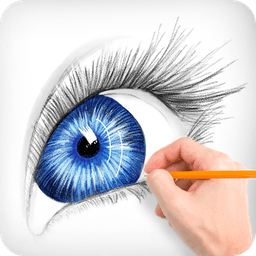
PaperColor is a digital painting app that brings the authentic feel of traditional brushwork to your phone or tablet. Whether you're sketching during travel, doodling at parties, or creating detailed artwork at home, this intuitive drawing application makes it easy to paint, learn, and express your creativity.
The app features a diverse collection of realistic paintbrushes and a comprehensive color library designed to help you craft perfect artworks. Each brush mimics traditional painting tools, giving you natural strokes and authentic artistic control. Beyond painting, you'll find practical tools like rulers and erasers to refine your work, plus the ability to add handwritten signatures once your piece is complete.
Transform your photos into custom canvases by using them as base maps for your drawings. Simply select any image, adjust its transparency to guide your artistic vision, and layer your own brushstrokes on top. This feature is perfect for learning to draw or creating unique variations on existing images. The intuitive scaling controls respond to every touch, giving you precision at any zoom level.
Mark up photos, add artistic details, or create original illustrations—PaperColor adapts to your creative needs. Once you're satisfied with your masterpiece, share it directly to social media and showcase your work to the world. The app transforms downtime into productive creative time, whether you have minutes or hours to spare.
PaperColor delivers professional-grade drawing tools in an accessible, user-friendly package. Start painting today and discover how enjoyable digital art creation can be.
Pros & Cons
Pros
- Realistic brushes mimic traditional painting tools and techniques
- Use photos as transparent guides for tracing and learning to draw
- Intuitive scaling and zoom controls for precision at any size
- Direct sharing to social media to showcase finished artwork
Cons
- No mention of cloud save or backup for your artwork
- Photo-to-canvas feature may encourage tracing over independent skill development
- Requires device storage for brush libraries and canvas data
- Limited detail on color accuracy or professional color space support
Frequently asked questions about PaperColor
Is PaperColor safe to download?
The PaperColor file on Unstore was scanned for malware on May 20, 2026. The scan found no threats and gave it a risk score of 20/100 (lower is safer).
What are the system requirements for PaperColor?
PaperColor runs on Android. It requires Android 5.0 (Lollipop) or later. The download size is 61.9 MB.
What is the latest version of PaperColor?
The latest version of PaperColor on Unstore is 2.9.15. It was last updated on May 22, 2026.
Who develops PaperColor?
PaperColor is developed by Colorfit.
Related Apps

Peggle
Arcade ball-shooter game with 50+ levels, character abilities, and multiplayer modes—Peggle

Super Mario Bros: Odyssey
2D platformer with Mario & Luigi adventure through the Mushroom Kingdom—classic gameplay with modern mechanics.

Roobet
JOL KNGSTON
Arcade game: catch diamonds, avoid obstacles, race against the pace. Simple controls, high-score challenges.

Vegas Downtown Slots & Words
Playtika
Slots & word games combined: spin reels, collect tiles, solve puzzles, and win big rewards in Vegas-themed casino fun.

LEGO® Hill Climb Adventures
Fingersoft
Hill climb racing game with LEGO vehicles, multiplayer, and world exploration. Customize, race, and discover secrets.

Kids games for 2-5 year olds
Bimi Boo Kids Learning Games for Toddlers FZ-LLC
Educational games for toddlers: 60 activities with 15 characters teaching skills through play.
Latest Articles

Play a free Color Ball Sort Puzzle-style game in your browser (no download)
Oct 6, 2026

Play a free Beach Buggy Racing-style kart racer in your browser (no download)
Oct 6, 2026

Play a free Alto's Adventure-style game in your browser (no download)
Oct 6, 2026

Free online whiteboard like Jamboard: use Quickboard in your browser, no signup
Oct 6, 2026

Free online running pace calculator: splits, race predictor and daily challenge, no download
Oct 6, 2026